Sailing race tracking for race officers Built by a race officer
Start time. Finish time. That’s it.
Designed in the race box to take work off the race officer and race committee, not add to it. Little Brother tracks every boat on the course, backs up your lap and finish times, and builds the replay, while your clipboard stays the official result.
- No extra work
- Backup timing
- Sign-on built in
- Lap times logged
Your race day, with Little Brother
The orange dots are the only things you have to do.
- Ashore13:15
Sailors sign on in the app
Sail number, name, crew and boat. Your sign-on sheet fills itself, and sailors who don’t want tracking can still use it just for sign-on.
Automatic - On the water13:40
Drop the marks
The patrol boat crew tap a button in the app as each mark goes in. Or skip it and place marks afterwards with AlgoMarks.
Optional - Start14:00
Enter the start time
The time you already write on your clipboard. Enter it before racing or after, and edit it any time.
You - Finish14:30
Enter the finish time
When the last boat crosses. No rush, you can enter it later at the bar too. That’s everything the app needs.
You - Back ashore14:50
Times appear for every tracked boat
Estimated laps and finish times arrive when sailors upload. Type in your official times if you want, and observed wind if the club has no weather station for Little Brother to pull data from.
Automatic - In the bar15:00
The fleet watches the replay
Drone view, tracks and stats, while you’re still putting the flags away.
Automatic
Your clipboard stays official
Little Brother gives you a second pair of eyes, not a second set of results.
| Boat | Lap 1 | Lap 2 | Laps | Elapsed |
|---|---|---|---|---|
| 8000 | 14:10 | 14:20 | 2 | 28:30 |
| 7307 | 15:05 | 14:30 | 2 | 29:35 |
| 215565 | 15:20 | 14:40 | 2 | 30:00 |
| 911 | 14:35 | DNF | 1 | DNF |
A backup clipboard
Lap and finish times are estimated from each boat’s GPS track and the line position. Missed a sail number in a bunch finish? Check the estimate.
Official is always yours
Estimates are clearly labelled unofficial. Tap any time to enter your official time next to it.
Sailors mark their own DNF
Retired or didn’t come out? Sailors mark DNF or DNC in the app themselves, so you’re not chasing them in the dinghy park.
Set race marks three ways
Marks make the replay. Pick whichever suits the day.
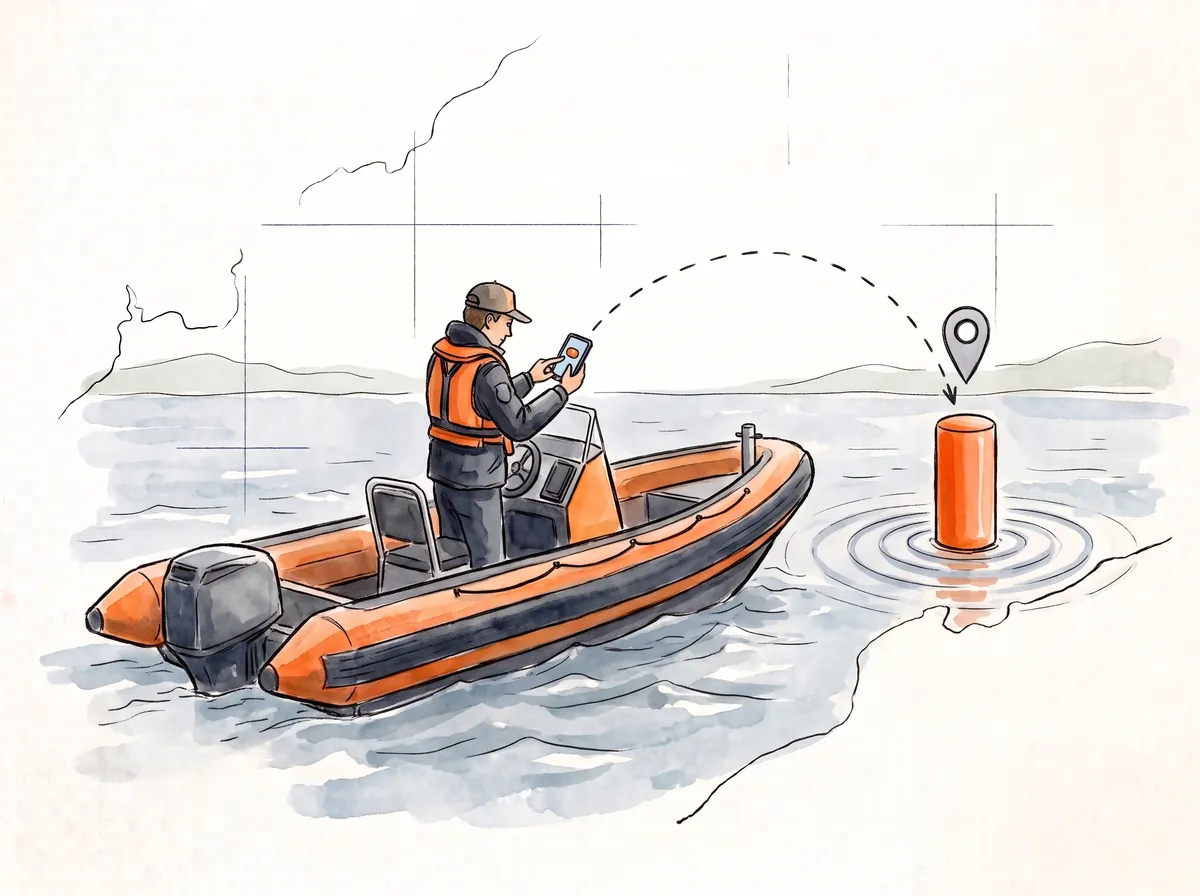
From the patrol boat
Drop the mark, tap the button. Large, clear buttons in the app, made for wet hands and a moving boat.
Log a mark as you drop, collect, or while waiting around.
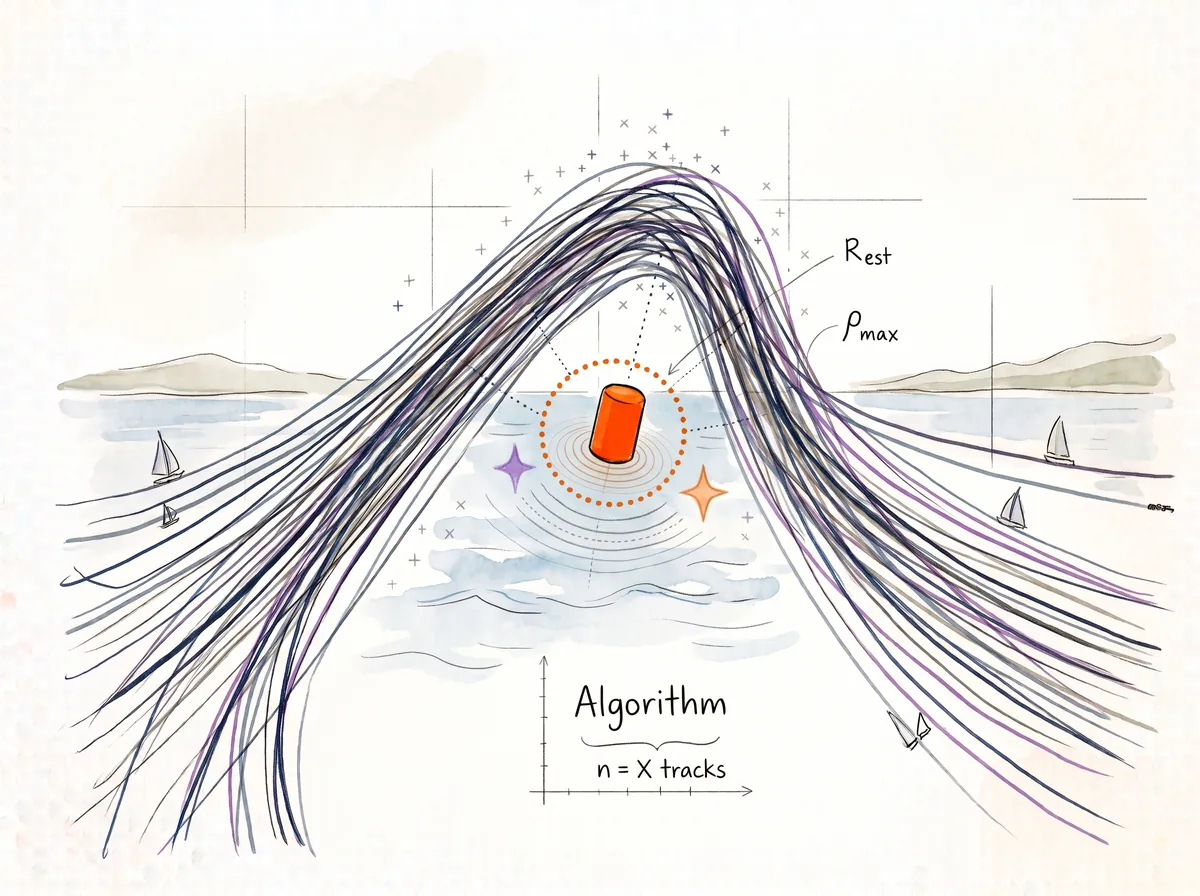
AlgoMarks Beta: marks from boat tracks
Forgot to set them? One click and our algorithm places the missing marks from the fleet’s tracks.
Best for: when nobody had a phone or free hand
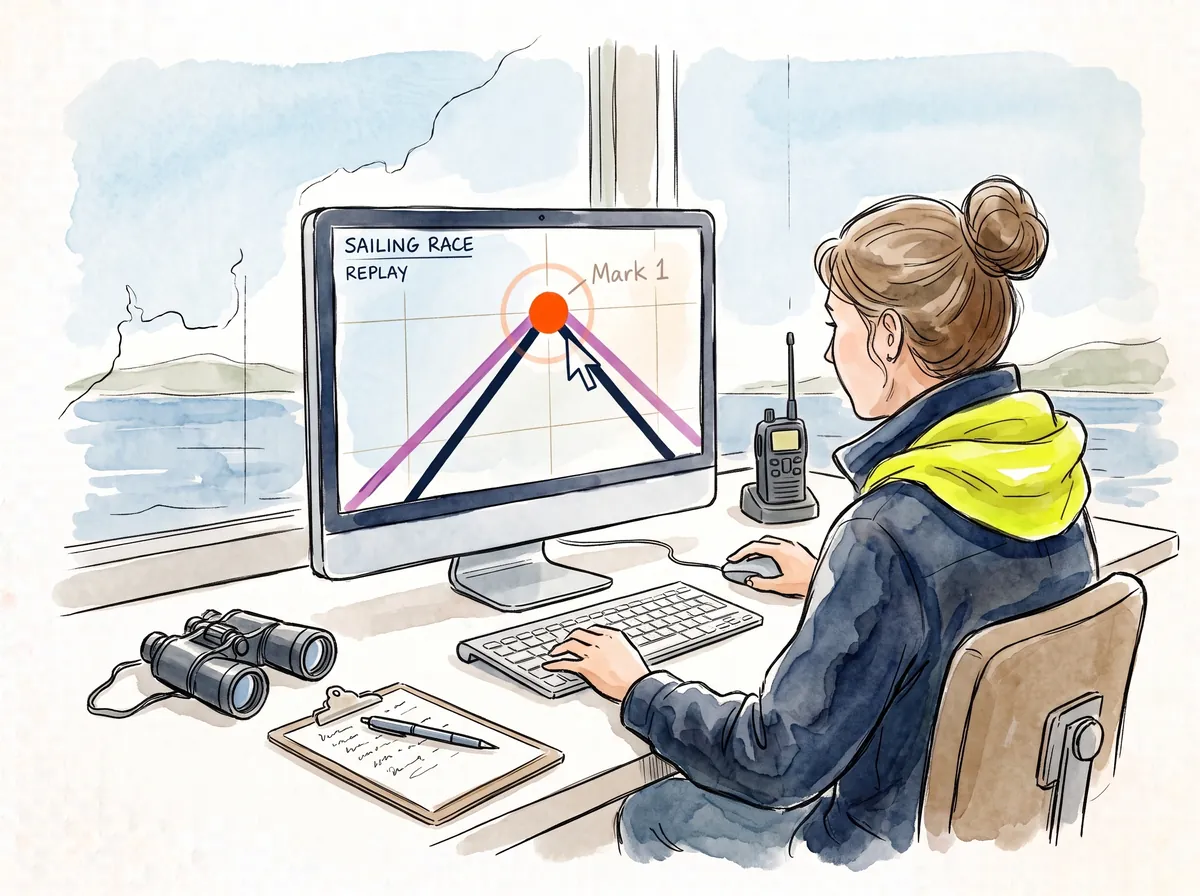
Place or move marks manually after the race
Turn on every boat’s track and you can see where each mark belongs. Click to add it or move it.
Best for: easy to place yourself, adjust or move
What it won’t do
Overrule your results
GPS times are a backup, labelled unofficial. Your times are the result.
Help anyone mid-race
The app is designed to show nothing, so it doesn’t aid a sailor during a race.
Need signal on the water
Races record on the phone or watch and send once sailors are back ashore.
Add jobs to your day
Just a start and finish time per race. Marks, tide and wind are all optional.
Race officer & race committee FAQs
Can I run several fleets or starts in one race?
Yes, for the most common set-up: several classes sharing one start line (or with a splitter) and one start time, even on different courses. Typically a fast fleet, for example catamarans, and a slow fleet of monohulls start together, with the monos rounding an inner windward mark. This works perfectly well, and so does a pursuit race.
Create it as one race and every boat appears together in the 3D replay and on the map. In map view you can turn classes and individual boats on and off. Lap times are logged for every boat, and the automatic drone views include the whole fleet, ready for Club TV.
Or create a race for each fleet. It’s just one click, and the drone replays show the fast fleet and slow fleet separately.
Coming in a future release:
- Separate start times for each fleet.
- Different start or finish lines for different fleets.
Supporting these would mean the race officer setting up a race for each course and dragging boats into the right start. That’s extra work for race officers, which breaks our own rules! 😉 So we’ve held it back for a future release.
Does it work for handicap and pursuit races?
Yes, you can track and replay both. Pursuit races work well, and handicap races replay like any other race, with every class together on the water.
Little Brother is a race replay solution, not a scoring system. It doesn’t apply PY ratings, calculate corrected times or score your series, so keep using your usual results software for that. The estimated lap and finish times are there as a backup to your clipboard.
Can replays be used in protest hearings?
Yes, if the protest committee accepts it. Under rule 63 of the Racing Rules of Sailing, the protest committee decides what evidence to hear and how much weight to give it, and that can include tracking data and replays. A replay can help by:
- Showing the incident from above, so positions, overlaps and time and distance are easier to see.
- Giving a time-stamped track of each boat’s speed, course and changes of direction.
- Supporting questions about mark roundings and the start or finish line.
GPS has limits, especially on older phones and watches. That’s why Little Brother publishes its own GPS accuracy tiers, Gold, Silver and Bronze, and shows each boat’s tier, so the committee can judge how much weight to give each track. A replay works best alongside your diagram and witness evidence, and the decision always rests with the protest committee.
Can I export results to Sailwave or our results software?
Export is coming soon. Little Brother doesn’t do scoring, so your Sailwave process stays exactly as it is today. Soon you’ll be able to export lap and finish times to bring into your results software. Ideal if you’re using Little Brother to click and log official lap times.
Do sailors see anything during the race?
No. It’s a black box, without the box. The sailor’s phone or smartwatch (Apple, Android, Garmin) is the recorder. It shows nothing during the race, needs no data or signal, and is battery friendly.
What if some boats don’t track?
No problem. A boat might not track because the sailor forgot to tap Start, or chose “sign on, don’t track”. The replay shows every boat that did track, and you run your results as normal for the whole fleet. Either way, they still appear on your sign-on sheet.
Bring it to your club
Put your club on a free trial, or send your committee a ready-written message. We set up your club and send you the login.
You run the racing. We’ll do the rest.
Start and finish times in. Job done.